Introduction
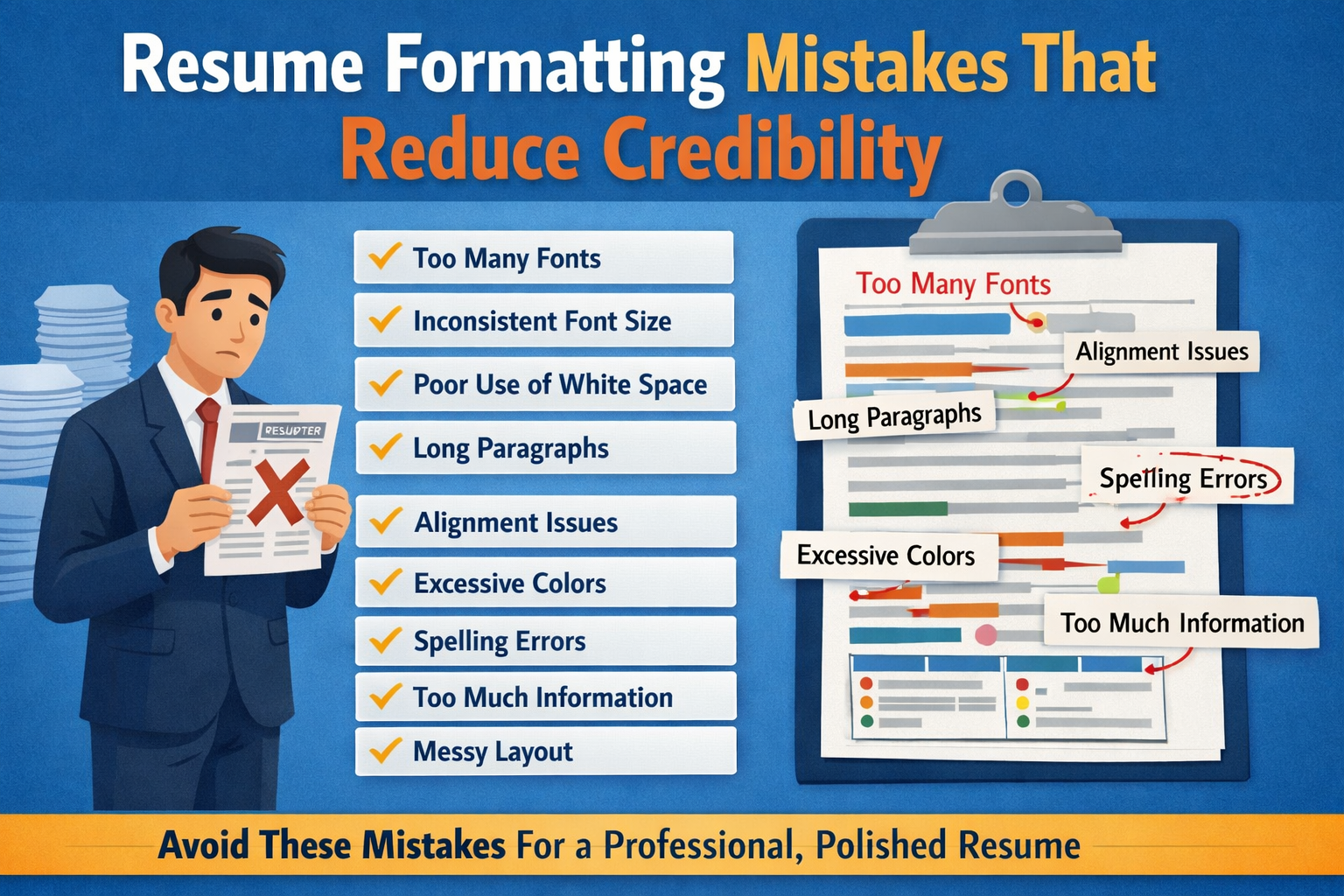
A resume is more than just a document. It is your first impression, your personal brand, and often the deciding factor between getting an interview or being rejected. Even if you have strong skills and good experience, resume formatting mistakes can reduce your credibility and make recruiters doubt your professionalism.
Many candidates focus only on content and ignore formatting. But recruiters usually scan resumes for just a few seconds. If your resume looks confusing, messy, or unprofessional, they may not even read your achievements.
In this article, we will discuss the most common resume formatting mistakes that reduce credibility and how you can avoid them.
Why Resume Formatting Matters?
Resume formatting helps recruiters understand your information quickly. A clean and well-structured resume shows that you are organized, serious, and professional. On the other hand, bad formatting gives the impression that you lack attention to detail.
Recruiters receive hundreds of resumes for one position. They prefer resumes that are easy to scan, clear, and visually balanced. Even small formatting errors can work against you.
Resume Formatting Mistakes That Reduce Credibility
1. Using Too Many Fonts
One of the biggest resume formatting mistakes is using too many fonts. Some candidates use different fonts for headings, subheadings, and body text. This makes the resume look messy and unprofessional.
Why it reduces credibility:
It shows lack of consistency and poor design sense.
Best practice:
Use only one font or at most two fonts. Choose professional fonts like Arial, Calibri, Times New Roman, or Helvetica. Keep the same font style throughout the resume.
2. Inconsistent Font Size
Using different font sizes randomly is another common mistake. For example, job titles may be smaller than company names, or bullet points may be larger than headings.
Why it reduces credibility:
It confuses the reader and looks careless.
Best practice:
- Headings: 14–16 points
- Subheadings: 12–14 points
- Body text: 10.5–12 points
Keep font sizes consistent across sections.
3. Poor Use of White Space
Some resumes are overcrowded with text, while others have too much empty space. Both are problematic.
Why it reduces credibility:
Too much text looks overwhelming. Too much white space looks incomplete or lazy.
Best practice:
Maintain balanced spacing between sections, bullet points, and margins. Your resume should look clean and easy to read.
4. Long Paragraphs Instead of Bullet Points
Many candidates write long paragraphs to describe their responsibilities. Recruiters do not have time to read long blocks of text.
Why it reduces credibility:
It shows that you don’t understand how recruiters read resumes.
Best practice:
Use bullet points. Keep each bullet point to one or two lines. Focus on results and achievements.
5. Incorrect Alignment
Text alignment issues are very common. Some resumes have mixed alignment such as left-aligned text, centered headings, and random spacing.
Why it reduces credibility:
Poor alignment makes the resume look unprofessional and confusing.
Best practice:
Use left alignment for most of your resume. Keep dates and locations aligned consistently, preferably on the right.
6. Using Too Many Colors
Adding many colors may seem creative, but it often backfires.
Why it reduces credibility:
Too many colors make the resume look childish or unprofessional, especially for corporate roles.
Best practice:
Use black text with one subtle color (like dark blue or gray) for headings. Avoid bright colors like red, yellow, or neon shades.
7. Overuse of Bold, Italics, and Underline Mistakes
Some resumes have almost everything in bold or italics.
Why it reduces credibility:
When everything is highlighted, nothing stands out.
Best practice:
Use bold only for headings and job titles. Use italics sparingly. Avoid underlining unless necessary.
8. Unclear Section Headings
Using creative but unclear headings like “My Journey” or “What I Did” can confuse recruiters.
Why it reduces credibility:
Recruiters expect standard headings. Unclear titles slow down scanning.
Best practice:
Use standard headings such as:
- Summary
- Skills
- Work Experience
- Education
- Certifications
9. Incorrect Margin Size
Very small margins make the resume look crowded, while very large margins waste space.
Why it reduces credibility:
It shows poor layout planning.
Best practice:
Use standard margins of 0.5 to 1 inch on all sides.
10. Including Too Much Information
Many resumes are filled with unnecessary details like full addresses, marital status, or hobbies not related to the job.
Why it reduces credibility:
It shows lack of focus and professionalism.
Best practice:
Include only relevant information. Keep your resume concise and job-focused.
11. Inconsistent Date Format
Using different date formats like “Jan 2022 – March 2023” and “02/2020 – 12/2021” in the same resume looks careless.
Why it reduces credibility:
It reflects poor attention to detail.
Best practice:
Use one date format throughout the resume.
12. Poor Bullet Point Style
Some resumes use different bullet symbols or inconsistent spacing between bullets.
Why it reduces credibility:
It makes the resume look disorganized.
Best practice:
Use one bullet style and maintain equal spacing between bullet points.
13. Mistakes of Using Tables or Text Boxes Incorrectly
Tables and text boxes often cause problems with Applicant Tracking Systems (ATS).
Why it reduces credibility:
Your resume may not be read correctly by ATS, leading to rejection.
Best practice:
Use a simple, clean layout without complex tables or graphics.
14. Adding Unprofessional Visual Elements
Icons, emojis, photos (when not required), and graphics are unnecessary in most resumes.
Why it reduces credibility:
It makes the resume look informal and unsuitable for professional roles.
Best practice:
Stick to a text-based, professional layout unless applying for creative roles.
15. Too Many Pages
Freshers often struggle with filling content, while experienced professionals sometimes include too much.
Why it reduces credibility:
Recruiters prefer concise resumes.
Best practice:
- Freshers: 1 page
- Experienced professionals: 1–2 pages
16. Spelling and Grammar Mistakes
Even small spelling mistakes can damage your image.
Why it reduces credibility:
It suggests lack of care and poor communication skills.
Best practice:
Proofread your resume multiple times. Use tools like Grammarly or ask someone else to review it.
17. Not Optimized for ATS
Many resumes look good but are not ATS-friendly.
Why it reduces credibility:
If ATS cannot read your resume, it may never reach the recruiter.
Best practice:
Use standard fonts, clear headings, and relevant keywords from the job description.
18. Inconsistent Capitalization
Random capitalization like “Team Leader” and “team leader” in the same resume looks unprofessional.
Why it reduces credibility:
It shows inconsistency and lack of polish.
Best practice:
Follow one capitalization style throughout.
19. Poor File Naming
Sending a resume named “resume_final_latest_v3.pdf” looks careless.
Why it reduces credibility:
It does not look professional.
Best practice:
Name your file like:
Saif_Ansari_Resume.pdf
20. Wrong File Format
Submitting a resume in the wrong format can cause display issues.
Why it reduces credibility:
Recruiters may not be able to open or read it properly.
Best practice:
Use PDF unless the employer specifically asks for Word format.
To know how to create an impressive resume, go through our blog on “How to Write a Resume that Gets Noticed in 2025?”
Conclusion
Your resume formatting plays a major role in building or breaking your credibility. Even if you have excellent skills and experience, poor formatting can hide your strengths and create a negative impression.
A well-formatted resume shows professionalism, clarity, and attention to detail. By avoiding these common formatting mistakes, you can create a resume that is easy to read, ATS-friendly, and convincing for recruiters.
Remember, your resume is your marketing tool. Make sure it looks as strong as your skills.
Read more such blogs here.


Leave a Reply