Introduction
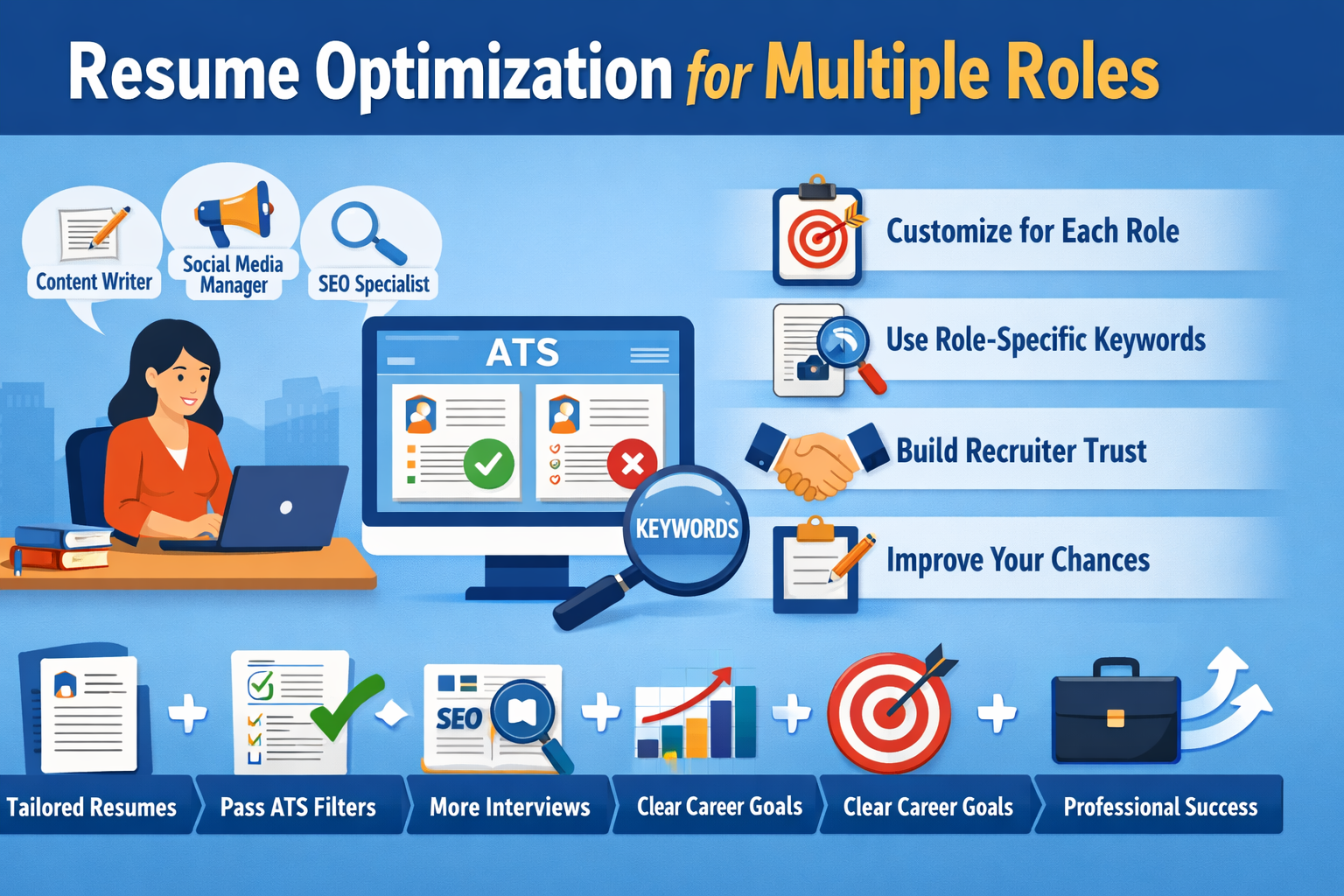
In today’s competitive job market, many candidates apply for multiple job roles instead of just one. For example, a person may apply for content writer, copywriter, and social media executive roles at the same time. But there is one major mistake that candidates make is using the same resume for every role. They need to do resume optimization for every roles.
A resume is not just a document. It is your first impression. Recruiters scan resumes in just few seconds. If your resume does not match the job role, it may get rejected even if you are skilled.
That is why resume optimization is important. Resume optimization means customizing and adjusting your resume according to different job roles with honest and clear information.
Let’s see what this article tells you about resume optimization for multiple roles.
What Is Resume Optimization?
Resume optimization is the process of editing and improving your resume to match a specific job role.
It includes:
- Using the right keywords
- Highlighting relevant skills
- Adjusting work experience
- Changing the summary section
- Reordering sections based on the role
When you apply for multiple roles, resume optimization helps you show the most relevant version of yourself for each role.
Why Resume Optimization for Multiple Roles Is Important?
1. Recruiters Look for Role-Specific Resumes
Recruiters want resumes that are match with the job description. If you apply for a marketing role but your resume looks like a sales resume, it creates confusion.
Optimized resumes look focused, professional and build recruiter trust.
2. One Resume Cannot Fit All Jobs
You can not apply to every job with a generic resume because different roles need different skills.
Example:
- A resume for the role of content writer, should focus on writing, research, SEO
- A social media manager resume should focus on analytics, engagement, tools
Using the same resume for both roles reduces your chances of getting hire.
3. Resume Optimization Helps Pass ATS (Applicant Tracking System)
Many companies use ATS software to filter resumes. And if you will customize you resume according to the job description of every role and include all the relevant keywords, then it can pass ATS software easily.
ATS checks:
- Keywords
- Job titles
- Skills section
If your resume is not optimized with role-specific keywords, ATS may reject it before a recruiter sees it.
4. Resume Optimization Shows Clarity and Career Direction
If you create a customized resume for every role then it shows that you understand the role, you know your strengths, and you are serious about the role.
This makes you look more confident and professional.
Common Mistakes While Applying for Multiple Roles
1. Using One Generic Resume
This is one of biggest mistake, when you use generic resume for every job role because it makes you irrelevant to job description.
A generic resume looks unfocused and careless.
2. Listing All Skills Together
Candidates often add every skill they know which makes their resume long and confusing. Only add relevant skills to your resume because recruiters prefer relevant skills, not all skills.
3. Same Resume Summary for All Roles
A resume summary should match the role and if your resume summary is not matching then rejection chances increases.
Using the same summary for different roles reduces impact.
4. Not Changing Job Titles
Even if your responsibilities are same, the job title presentation should match the role you are applying for with honesty.
5. Ignoring Job Description Keywords
Another mistake is ignoring job description keywords. Job descriptions give clear hints about what recruiters want that’s why include all the relevant keywords.
Step-by-Step Guide to Resume Optimization for Multiple Roles
Step 1: Identify Your Target Roles Clearly for Resume Optimization
First, list down the roles you want to apply for.
Example:
- Role 1: Content Writer
- Role 2: SEO Executive
- Role 3: Social Media Manager
Do not mix unrelated roles in one resume.
Step 2: Study Job Descriptions Carefully
For each role:
- Read 3–5 job descriptions
- Note common skills
- Highlight repeated keywords
Example keywords for content writer:
- SEO writing
- Blog writing
- Keyword research
- Content optimization
Step 3: Create a Master Resume
A master resume includes:
- All experiences
- All skills
- All projects
This resume is not for sending, but for reference. You can create multiple versions from this master resume.
Step 4: Customize the Resume Summary
Change summary for each role.
Example:
For Content Writer:
“Creative content writer with experience in blog writing, SEO content, and audience-focused storytelling.”
For SEO Executive:
“Detail-oriented SEO executive with hands-on experience in keyword research, on-page SEO, and content optimization.”
This small change can create a big impact.
Step 5: Optimize Skills Section
Keep skills role-specific.
Example:
Content Writer Skills:
- Blog writing
- SEO content
- Editing
- Research
Social Media Manager Skills:
- Content planning
- Social media analytics
- Engagement strategy
- Scheduling tools
Avoid irrelevant skills for a role.
Step 6: Adjust Work Experience Description
You can highlight different responsibilities from the same job.
Example:
If you worked as a Marketing Intern:
For Content Writer role:
- Wrote blogs and website content
- Researched keywords
- Edited content for clarity
For Social Media role:
- Created social media captions
- Managed posting schedule
- Analyzed engagement metrics
Same job, different focus.
Step 7: Reorder Resume Sections
Change section order based on role.
For freshers:
- Skills first
- Projects
- Education
For experienced candidates:
- Experience first
- Skills
- Achievements
This improves readability.
Step 8: Use Role-Specific Keywords
Include keywords naturally in:
- Summary
- Skills
- Experience
This improves ATS score and recruiter attention.
Step 9: Keep Resume Length Under Control
Ideal length:
- Fresher: 1 page
- Experienced: 1–2 pages
Do not add unnecessary details just to fill space.
Step 10: Name Your Resume Files Properly
Use clear file names.
Examples:
- Nancy_Content_Writer_Resume.pdf
- Nancy_SEO_Executive_Resume.pdf
This looks professional and organized.
Tips to Manage Multiple Resumes Easily
1. Use Google Docs or Word Templates
Create:
- One master template
- Duplicate and edit for each role
2. Maintain a Resume Tracker
Keep a simple sheet:
- Company name
- Role applied
- Resume version used
This avoids confusion.
3. Update Resumes Regularly
Whenever you gain:
- New skill
- New project
- New experience
Update your master resume first.
4. Stay Honest Always
Never add:
- Fake experience
- Skills you don’t have
Optimized resumes should be truthful and clear.
Benefits of Resume Optimization for Multiple Roles
- Higher interview calls
- Better recruiter trust
- Clear career positioning
- Improved ATS performance
- Professional image
For more information, you can also read “Resume Personalization Strategies That Work”
Conclusion
Resume optimization for multiple roles is not optional. It is a necessary in today’s job market. Using one generic resume for all roles reduces your chances, no matter how talented you are.
By customizing your resume for each role, you show recruiters that you understand the job, you respect their time, and are serious about your career.
Remember, your resume is your marketing document. Optimize it smartly, stay honest, and keep improving it as you grow.
You can read more such blogs here.





Leave a Reply