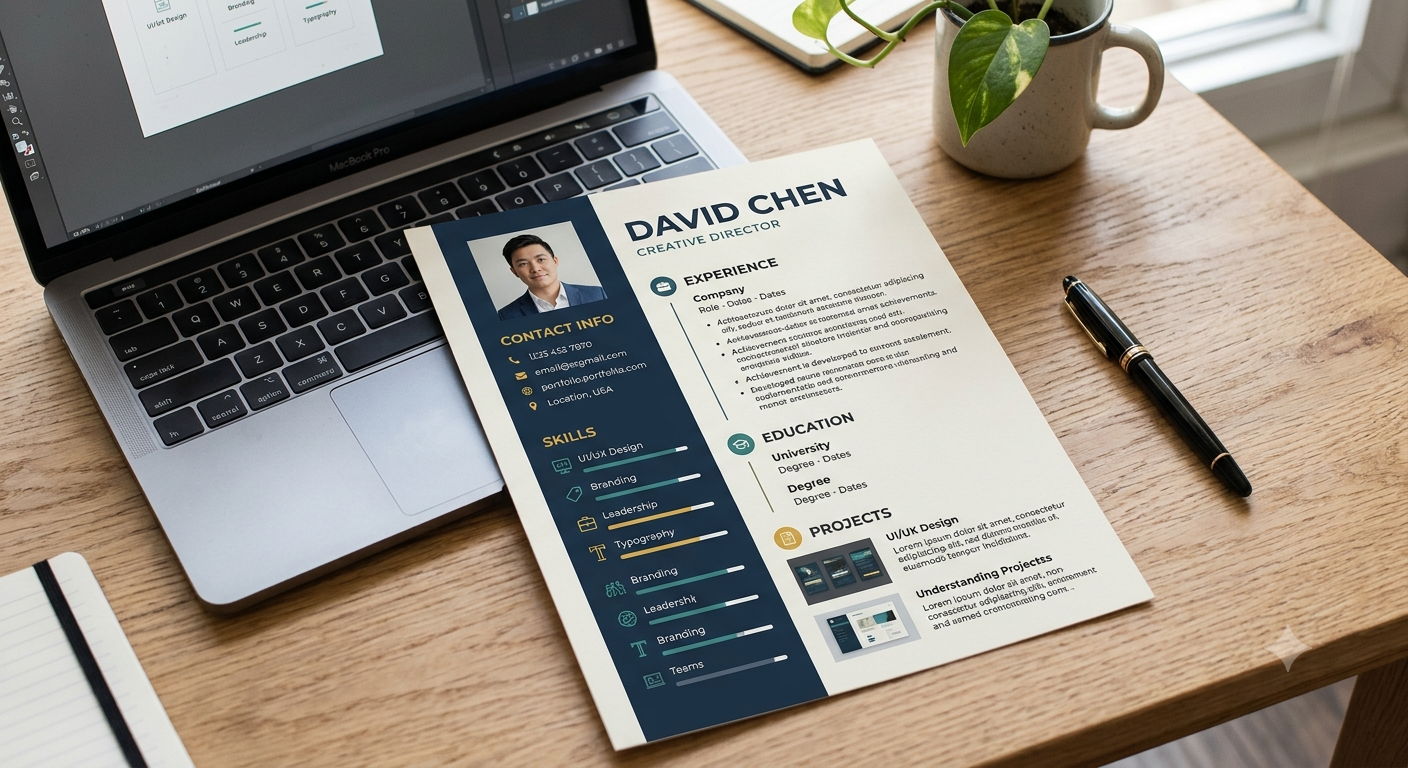
Introduction: Canva for a Resume
Designing a resume is an essential step in the job application process. Your resume’s content highlights your qualifications, while its design helps attract recruiters’ attention. Fortunately, creating a visually appealing resume is easy with the help of a graphic design tool like Canva. However, using a predesigned template can be a double-edged sword and make your resume blend in with hundreds of other generic documents. Effectively use of Canva for a resume to create a professional design that highlights your skills and experience can be very helpful.
The good news is that making the right choice of template, personalizing it, and emphasizing the necessary information can help you design a resume that will stand out from the rest. The following tips will help you get started.
How to Use Canva for a Resume Without Looking Generic?
1. Pick a Resume Template Appropriate for Your Profession
Effectively Use of Canva provides a wide range of resume templates to choose from. Nevertheless, merely picking a template that looks nice on the first glance is not enough. Every profession has its own set of implicit rules, and recruiters expect to see specific information depending on the job position. Therefore, it is essential to pick a resume template that ideally suits your profession’s requirements.
For instance, graphic designers may go for a more creative option to showcase their design skills. On the other hand, accountants, programmers, and office managers typically stick to a simpler and more straightforward design. Furthermore, before you finalize your choice, it is vital to keep in mind the following criteria:
- Implicit requirements specific to the profession.
- Overall readability of the resume.
- Avoiding unnecessary clutter.
- Meeting the requirements of applicant tracking systems (ATS).
By selecting an appropriate resume template, you will be able to customize its content and design to match your specific needs and the requirements of the job position. Effectively Use of Canva for a resume, choose a template that matches your industry’s expectations.
2. Customize the Design to Fit Your Requirements
The most common mistake that job applicants make is to use a predesigned resume template without tweaking its content and structure. While many resume builders offer a great selection of predesigned templates, it is always advisable to customize the following elements to create a resume that looks different from hundreds of other generic resumes:
- Colors.
- Fonts.
- Spacing.
- Headings.
Use Canva for a resume that reflects your professional identity through customized fonts, colors, and layouts. While Canva offers a great variety of color palettes and font styles, it is advisable to stick to a maximum of two fonts and a couple of colors. For instance, black, dark blue, and white colors, paired together, can provide an excellent contrast and make your resume more readable. When customizing a resume template, it is also essential to rearrange sections and emphasize the most important information. If you have years of work experience, there is no need to describe each job position in detail. At the same time, if you are a recent graduate, you may want to include more information about your projects and education. By tweaking the design and content of a resume template, you will be able to create a document that looks personalized and unique.
3. Focus on Achievements and Qualifications Rather than Responsibilities
No matter how visually appealing your resume is, if it fails to catch the recruiter’s attention, it will inevitably end up in the trash. The primary purpose of a resume is to tell recruiters about your skills, work experience, and qualifications. Therefore, it is advisable to use action-oriented language and emphasize your achievements and qualifications rather than list your responsibilities.
For example, if you are a social media manager, simply stating that you are experienced in social media management is not enough. Instead, you should highlight your achievements, such as boosting the brand’s social media followers count by a certain percentage. Similarly, if you are a content writer, you should mention the number of articles you wrote, as well as some impressive statistics. By emphasizing your achievements and qualifications, you will be able to market yourself better and increase the likelihood of getting shortlisted.
4. Make Sure that the Most Important Information Stands Out
When designing a resume, it is essential to keep in mind the concept of hierarchy. In other words, it is advisable to make sure that the most important information, such as your professional summary, stands out. A well-structured resume will also help the recruiters find the necessary information without scanning the entire document. To achieve that, it is advisable to do the following:
- Use contrasting colors and fonts for distinct sections.
- Avoid using predesigned shapes, tables, and text boxes, as they may confuse the recruiters.
- Use sufficient spacing and avoid overcrowding.
- Keep the design clean and simple.
- Avoid using multiple text boxes and columns.
For most job applicants, a one-page resume with a simple and clear design is the best option. While some creative professions may experiment with colors and unique layouts, graphic designers should avoid using unconventional layouts because most recruiters are not fond of non-standard resume formats. Especially when applying to a company through an online portal, it is advisable to use a resume builder that will help you design a resume in the correct format.
5. Optimize Your Resume With ATS-Friendly Content
The majority of medium- and large-sized companies use applicant tracking systems (ATS) to sort and filter applications. Even though Canva is a powerful resume builder, some of its templates may interfere with ATS’s ability to read the information on your resume. To ensure that your resume is ATS-friendly, it is advisable to do the following:
- Avoid using any special characters.
- Mention keywords several times in your resume.
- Avoid using predesigned icons, text boxes, and tables.
- Place the most important information at the beginning of the resume.
- Use simple formatting and language.
Furthermore, before submitting your resume, make sure to read the job description and the employer’s specific instructions carefully. Ideally, it is advisable to use PDF format when applying for a job, as most ATS systems can read PDF files. However, in some cases, employers might ask to submit a Word document or another type of file.
Another way to test whether your resume is ATS-friendly is to copy the text from your resume and paste it into a new Word document. If the information is properly organized, your resume has a high chance of passing the ATS test. Nevertheless, it is important to remember that the ATS test is not the end-all be-all criterion. A well-structured resume with relevant information and impressive achievements will get you past the first round of interviews regardless of ATS’s readability test results.
6. Use Plagiarism-Free Content When Creating a Resume
Although it is advisable to use predesigned resume templates, you should never use the exact same resume for every job application. Every position requires a different set of skills and qualifications. Therefore, it is essential to customize your resume for every job application. The good news is that by using a resume builder, you can save time and effort because most resume builders allow you to duplicate your resume.
When customizing your resume for a specific job position, it is essential to emphasize specific skills, achievements, and qualifications. For example, if you are a content writer, but you have never done any SEO-related tasks, it is advisable to omit keywords and information related to SEO. Nevertheless, even though customization is essential, it is always advisable to avoid exaggerating and misrepresenting the facts. Canva allows you to create a resume using a predesigned template. Nevertheless, it is advisable to avoid using the exact same resume for different job applications.
7. Emphasize Your Professional Summary and Personal Brand
When applying for a job, the majority of job applicants overlook the importance of a professional summary. A professional summary is a brief description of your work experience and qualifications. The primary purpose of a professional summary is to help recruiters learn more about you in one paragraph. Therefore, it is advisable to include the following information in your professional summary:
- Your years of experience.
- The most important skills.
- Your qualifications.
- What you are looking for in a job.
Besides the basic information, you should also consider including a link to your portfolio or website. Most recruiters understand that the majority of job applicants use predesigned resume templates, so it is advisable to make your resume stand out with the help of a strong professional summary.
8. Always Proofread and Test Your Final Resume Before Submitting
After spending hours designing and tweaking your resume, it is easy to miss some obvious mistakes. Therefore, prior to sending your resume to a potential employer, it is advisable to double-check your document for the following common errors:
- Grammatical errors.
- Typos.
- Incorrect information.
- Wrong date formats.
- Improper formatting.
- Broken links to your portfolio or website.
Before sending your resume, make sure to preview it on different screens and ensure that it looks good on every device. It is also advisable to make sure that you can select and copy the text from your resume. After downloading your resume, it is a good idea to send it to a friend for proofreading purposes. A fresh pair of eyes will help you spot some errors that you might have missed on your first attempt. You can use Canva for a resume tailored to each job by highlighting the skills and experience relevant to the position.
Conclusion: Canva for a Resume
Canva can help you design an impressive resume without having to worry about learning graphic design. Nevertheless, to create a resume that stands out from the competition, it is essential to select an appropriate resume template, tweak the design and content, emphasize your achievements and qualifications, avoid using unnecessary clutter, and make sure that the most important information is easy to spot. By proofreading and testing your final resume, you will be able to eliminate any possible issues and send a well-structured resume to the employer. Ultimately, use Canva for a resume that combines a clean design with relevant achievements and clear information.
Ready to create a standout resume? Use Canva alongside the best job tools to build a professional resume, highlight your skills, and find opportunities that match your qualifications. Start improving your resume today and take the next step in your career!



Leave a Reply